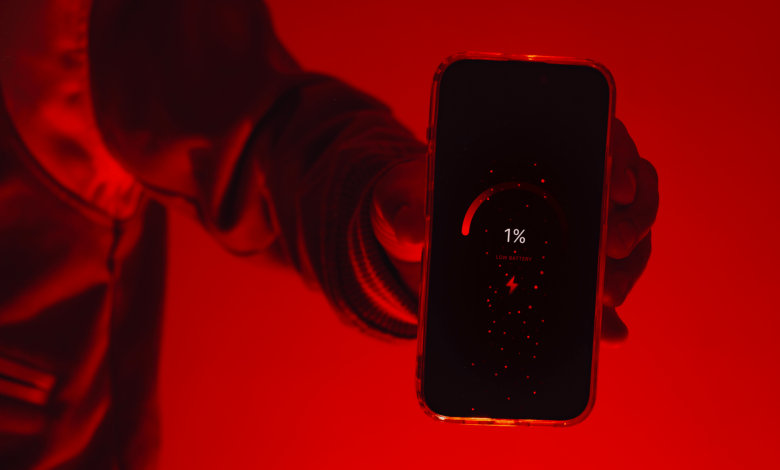
There are few things more frustrating than waking up in the morning, picking up your phone, and discovering that the battery percentage has dropped significantly overnight even though you barely touched the device. Many smartphone users experience this problem regularly and often assume that their battery is damaged or that it is time to buy a new phone, but in reality, battery drain can happen for many reasons, and some of them have nothing to do with the age of your device.
Modern smartphones are more powerful than ever before, but they are also constantly working behind the scenes even when you are not actively using them. Unlike older mobile phones that remained mostly idle when locked, today’s smartphones continuously communicate with networks, update apps, receive notifications, track locations, synchronize data, and perform numerous background tasks that quietly consume battery power throughout the day and night.
If your phone battery seems to disappear even when the screen is off, understanding the causes can help you identify the problem and significantly improve battery life.
Background Apps Never Truly Sleep
One of the biggest reasons your battery drains while your phone appears inactive is because many apps continue running in the background long after you stop using them.
Social media apps, messaging platforms, email services, weather applications, and various other programs constantly check for updates, download new content, and synchronize information. Every time an app refreshes itself, it uses processing power, internet connectivity, and battery energy.
Many users install dozens of apps without realizing that each one may be performing tasks silently behind the scenes. While a single app might not consume much power, the combined effect of multiple applications running simultaneously can create noticeable battery drain.
Poor Network Signals Can Drain Your Battery Quickly
A weak mobile network signal is one of the most overlooked causes of battery drain.
When your phone struggles to maintain a connection to a cellular tower, it increases its power output in an attempt to find and maintain a stable signal. This constant searching requires additional energy and can significantly reduce battery life.
This issue is particularly common in areas with poor network coverage, inside buildings with thick walls, during travel through rural areas, or in locations where network congestion is high.
Many people blame their batteries when the real problem is simply that their phones are working harder than normal to stay connected.
Constant Notifications Keep Waking Your Phone
Every notification your phone receives activates various system processes.
Whether it is a WhatsApp message, Facebook alert, email notification, breaking news update, or promotional advertisement, your phone wakes up briefly to process and display the information.
If you receive dozens or even hundreds of notifications throughout the day, your device may never truly rest. The screen may remain off, but the phone is still performing small tasks repeatedly.
Over time, these constant interruptions can have a measurable impact on battery performance.
Location Services Use More Power Than You Think
Many apps request access to your location even when they do not necessarily need it.
Navigation apps, weather services, ride-hailing platforms, social media applications, food delivery services, and shopping apps often track location data in the background.
GPS technology is incredibly useful, but it is also one of the most power-hungry features on a smartphone. When multiple applications are continuously checking your location, battery consumption increases significantly.
Many users are surprised to discover how much battery life can be saved simply by limiting location access to only the apps that truly need it.
High Screen Brightness Is a Silent Battery Killer
Even though this article focuses on battery drain when the phone is not actively being used, screen settings can still play a role.
Many phones briefly wake their displays for notifications, incoming calls, lock screen alerts, and other system activities. If brightness levels are set extremely high, every screen activation consumes more power than necessary.
Automatic brightness settings often help reduce unnecessary energy consumption because the phone adjusts itself according to surrounding light conditions.
Automatic Updates Can Happen at Any Time
Your phone regularly updates apps, downloads software patches, synchronizes cloud storage, and performs maintenance tasks without asking for permission every single time.
These automatic activities often occur when the device is connected to Wi-Fi or charging, but they can also happen during normal usage.
Large updates require downloading files, processing data, and installing software, all of which place demands on the battery.
Many users never notice these processes happening because they occur quietly in the background.
Bluetooth and Wi-Fi May Be Working Constantly
Bluetooth and Wi-Fi technologies have become much more efficient than they were years ago, but they still consume power.
When left enabled continuously, your phone periodically searches for available devices, networks, and connections.
The battery impact may be relatively small on modern devices, but over many hours, especially when combined with other battery-draining activities, the effect becomes noticeable.
If you rarely use Bluetooth or do not need Wi-Fi at certain times, turning them off can help conserve energy.
Old Batteries Naturally Lose Capacity
Sometimes the problem is not what your phone is doing but the condition of the battery itself.
Rechargeable lithium-ion batteries gradually lose capacity as they age. After hundreds of charging cycles, the battery simply cannot hold as much energy as it once could.
A phone that lasted an entire day when new may struggle to reach evening after several years of use.
This process is completely normal and happens to every smartphone battery eventually.
Unfortunately, many people assume software is always the problem when battery aging may actually be the main cause.
Malware and Problematic Apps
Although less common, malicious software or poorly optimized apps can cause excessive battery drain.
Some applications continue running aggressively in the background, consume excessive processing power, or perform unnecessary activities that place heavy demands on the battery.
If battery problems begin suddenly after installing a new app, that application could be responsible.
Monitoring battery usage statistics can often reveal which apps are consuming the most energy.
Frequent Phone Unlocking Adds Up
Many people believe they are not using their phones much, but a quick check often reveals otherwise.
Unlocking your phone dozens or even hundreds of times per day adds up quickly. Each unlock activates the display, processor, internet connection, and various background services.
Short usage sessions repeated throughout the day can collectively consume far more battery power than expected.
Sometimes the issue is not that the phone is draining without use but that the phone is actually being used more often than the owner realizes.
Extreme Temperatures Affect Battery Performance
Heat and cold can both impact battery efficiency.
Leaving your phone inside a hot vehicle, exposing it to direct sunlight, or using it extensively in very high temperatures can accelerate battery drain.
Similarly, extremely cold environments may temporarily reduce battery performance and cause percentage readings to drop unexpectedly.
Protecting your phone from extreme temperatures can help maintain healthier battery life over time.
How to Improve Battery Life
Improving battery performance often involves a combination of small changes rather than one dramatic solution.
Reducing unnecessary notifications, limiting background app activity, managing location permissions, lowering screen brightness, updating software regularly, and monitoring battery usage can collectively make a significant difference.
It is also worth reviewing which apps you truly need because many people carry dozens of applications they rarely use, each contributing to battery consumption in some way.
Final Thoughts
If your phone battery drains quickly even when you are not actively using the device, there is usually a reason behind it, and it is often related to the countless background activities modern smartphones perform every day.
From weak network signals and location tracking to background apps and aging batteries, several factors can quietly reduce battery life without obvious warning signs.
The good news is that understanding these causes puts you in a better position to manage them. In many cases, a few simple adjustments can dramatically improve battery performance and help your phone last longer throughout the day.
Before assuming your battery is defective or rushing to buy a new device, take a closer look at what your phone is doing behind the scenes, because the biggest battery drain may be happening when you think nothing is happening at all.