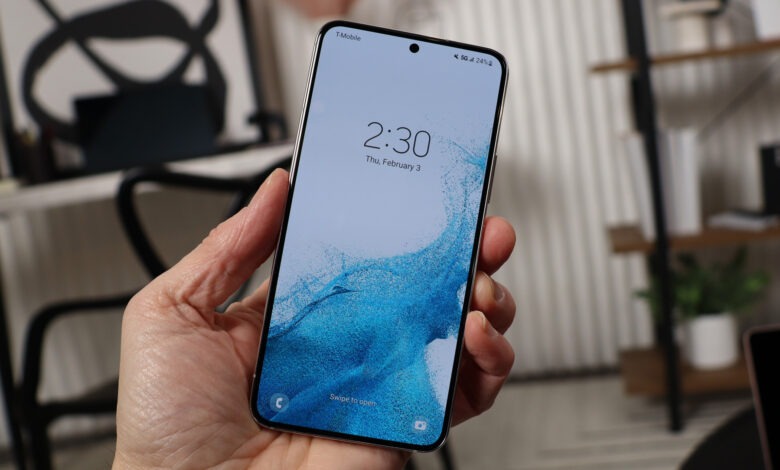
Buying a Samsung phone is exciting, whether it is brand new, fairly used, or handed down by a friend or family member. However, one important detail many people overlook is whether the phone is unlocked. This may not seem like a big deal at first, but it can become a major issue when you try to switch mobile networks, travel to another country, or use a different SIM card and discover that the phone refuses to connect.
Many smartphone users do not even realize there is a difference between a locked phone and an unlocked phone until they encounter a problem. A locked phone is typically restricted to a specific mobile network, while an unlocked phone can generally be used with SIM cards from different network providers. Knowing the status of your Samsung phone can save you time, frustration, and even money.
The good news is that checking whether your Samsung phone is unlocked is usually simple and does not require advanced technical knowledge. There are several methods you can use, and most take only a few minutes to complete.
What Does It Mean for a Phone to Be Unlocked?
Before checking your Samsung device, it is helpful to understand what an unlocked phone actually means.
When a phone is sold by certain mobile carriers, it may be configured to work only with that carrier’s network. This restriction is known as a network lock or SIM lock. The carrier does this to ensure that customers continue using its services, especially when the phone was purchased through a contract or payment plan.
An unlocked phone, on the other hand, allows you to insert SIM cards from different network providers without restrictions. This gives you greater flexibility and can be especially useful if you want to compare network plans or use local SIM cards while traveling.
The Simplest Method: Try Another SIM Card
One of the easiest ways to check whether your Samsung phone is unlocked is by testing it with a SIM card from a different network provider.
If your current SIM card belongs to one network, borrow another SIM card from a different provider and insert it into the phone. After restarting the device, observe what happens.
If the phone successfully connects to the new network and allows calls, texts, or mobile data, there is a good chance that it is unlocked.
However, if the phone displays messages indicating that the SIM card is not supported, requests an unlock code, or refuses to connect to the network, the device may still be locked.
This method is often the fastest and most reliable way to find out.
Check Through Your Samsung Phone Settings
Many Samsung devices provide useful information through the settings menu.
Open the Settings application and navigate through the device information sections. Depending on the model and software version, network-related information may be available that helps indicate whether restrictions exist.
Although settings alone may not always explicitly state that a phone is unlocked, they can sometimes reveal clues about carrier restrictions and network configurations.
Exploring these menus can provide additional information about your device’s status.
Observe Startup Screens and Carrier Branding
Another clue can often be found when the phone starts up.
Some carrier-locked Samsung phones display specific network logos or branding during startup and shutdown. While carrier branding does not automatically mean the device is locked, it can suggest that the phone originally came from a particular network provider.
Many unlocked phones either display Samsung branding alone or allow greater flexibility with network settings.
This method should not be considered definitive proof, but it can provide useful hints.
Contact the Original Network Provider
If you know which network originally sold the phone, contacting the provider can often provide a clear answer.
Most mobile carriers maintain records of devices sold through their systems and can verify whether a phone remains locked or has already been unlocked.
You may need to provide identifying information about the device before they can assist you, but this approach often produces the most accurate results.
For phones purchased secondhand, this can be particularly useful if you are unsure about the device’s history.
Why Some Phones Remain Locked
Many people wonder why locked phones still exist in an era when consumers frequently change networks.
The primary reason is that carriers often subsidize devices, offer installment payment plans, or provide promotional discounts. In return, they may require customers to remain on their network for a certain period before allowing the phone to be unlocked.
Once contractual obligations have been satisfied, many carriers permit unlocking upon request.
Understanding this background helps explain why some Samsung phones are restricted while others are not.
Benefits of Having an Unlocked Samsung Phone
An unlocked Samsung phone offers several advantages that make it attractive to many users.
One major benefit is flexibility. You can switch network providers whenever you find a better plan, stronger coverage, or more attractive pricing.
Travelers also benefit because they can purchase local SIM cards in other countries instead of paying expensive roaming charges.
Additionally, unlocked phones may have higher resale value because potential buyers know they can use the device with various networks.
This added freedom is one reason many people specifically seek unlocked devices when shopping for smartphones.
Common Signs That Your Phone May Be Locked
While only a proper test can confirm a phone’s status, certain signs often suggest that restrictions may exist.
A request for a network unlock code after inserting a new SIM card is one of the strongest indicators.
Messages stating that the SIM card is invalid or unsupported can also point toward a network lock.
In some cases, the phone may recognize the SIM card but refuse to connect to the network.
These signs should encourage further investigation rather than immediate assumptions.
Can a Locked Samsung Phone Be Unlocked?
In many situations, yes.
Depending on the carrier’s policies, eligible devices can often be unlocked after meeting certain requirements. These may include completing payment obligations, maintaining service for a specific period, or submitting an unlock request.
The exact process varies between providers, but many legitimate unlocking options exist for eligible devices.
It is important to use official channels whenever possible because unofficial methods can create security risks or software issues.
Things to Watch Out for When Buying a Used Samsung Phone
If you are purchasing a secondhand Samsung device, checking the unlock status should be part of your inspection process.
Many buyers focus on screen condition, battery health, and cosmetic appearance while forgetting to verify network compatibility.
Testing the phone with different SIM cards before completing the purchase can help avoid unpleasant surprises later.
A phone that appears to be a bargain may become much less valuable if it only works on a limited number of networks.
Taking a few extra minutes to verify its status can save considerable trouble in the future.